
Goals
What the member said they want, kept in the record. Recorded, not inferred.
KOA / GYMS · COACHES · MEMBERS
Every gym answers the same question each morning: who needs a conversation today, and why them. KOA puts the member's training record and the work your staff has to do in one place.
Book a gym demo See the member appMOVE BEYOND
01 / WHO IT IS FOR
Services, roles and sites each managed within their own scope. Follow-up work has an owner and a status you can check.
Who needs a conversation, why, and what they last trained — visible before deciding how to open it.
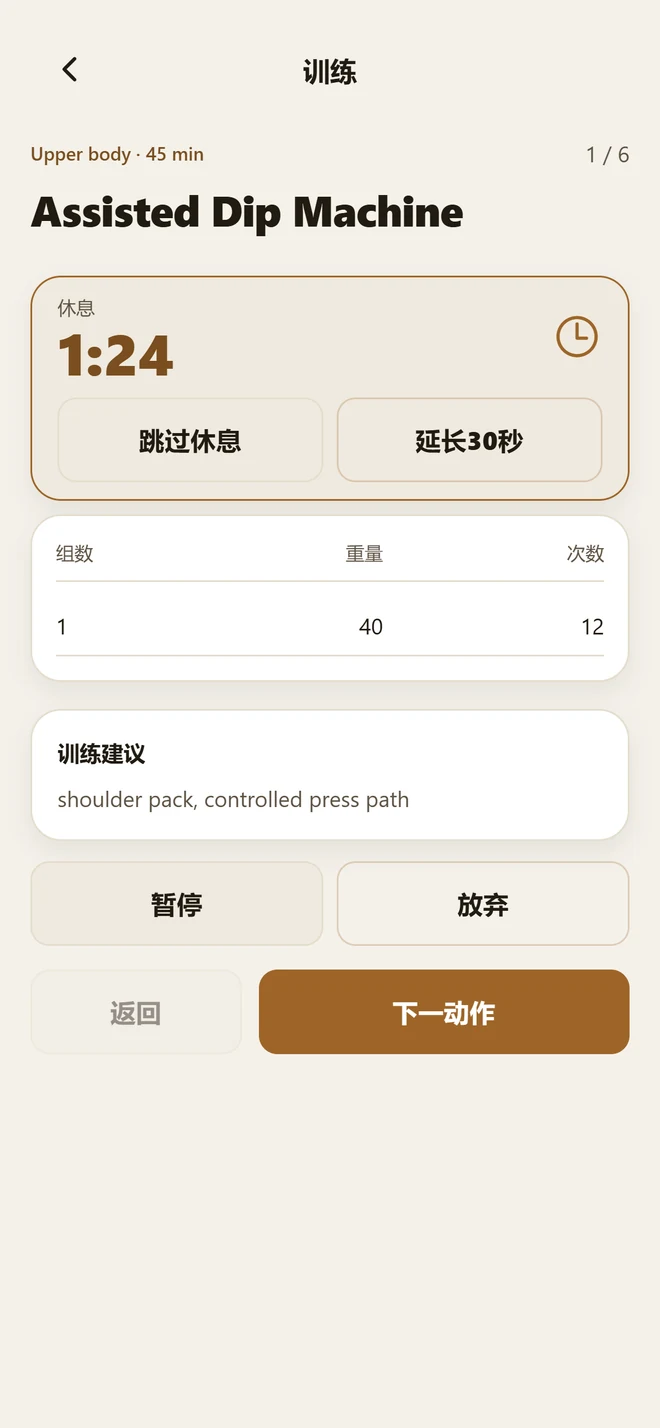
What to train today, how far through it they are, what they lifted last time — visible in the member app, without asking.
02 / FOLLOW-UP TASKS
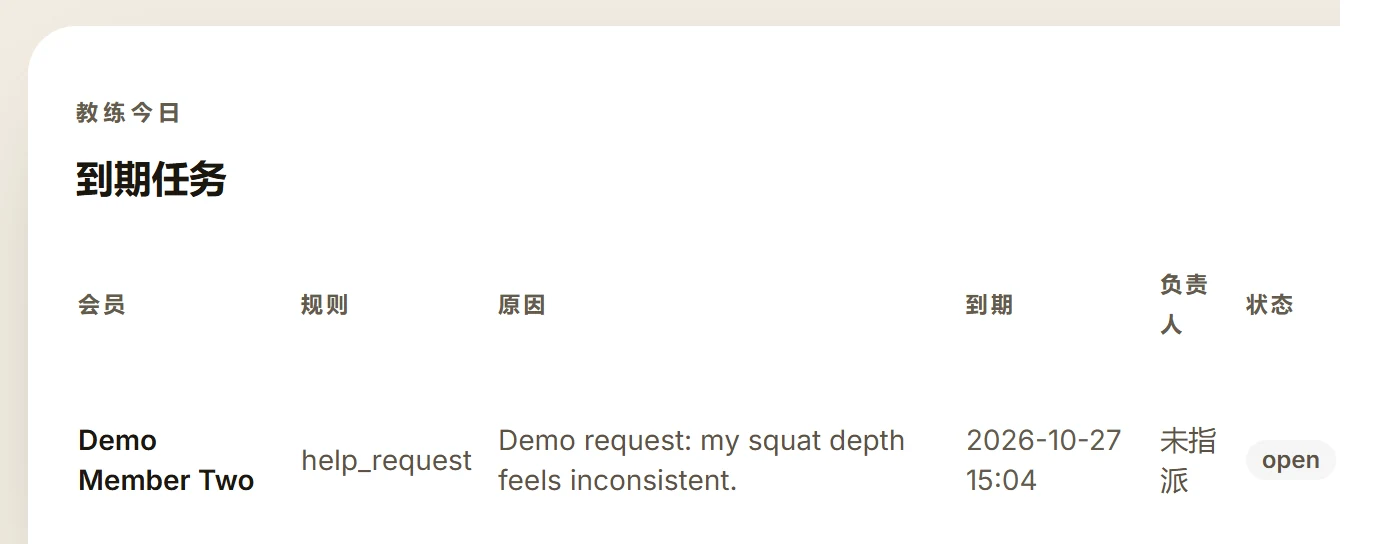
Today's due tasks sit in one table by member: the rule that raised it, the reason, when it is due, who owns it, and its status. Before opening one, the coach already knows why.
Due tasks in one view, with status showing how far each has got.
Goals, programme progress, training history and notes, subject to role permissions.
Your team decides how. KOA does not send anything on its own.
The contact attempt and the outcome are logged separately; the task status follows.
03 / MEMBER BACKGROUND
What the member said they want, kept in the record. Recorded, not inferred.
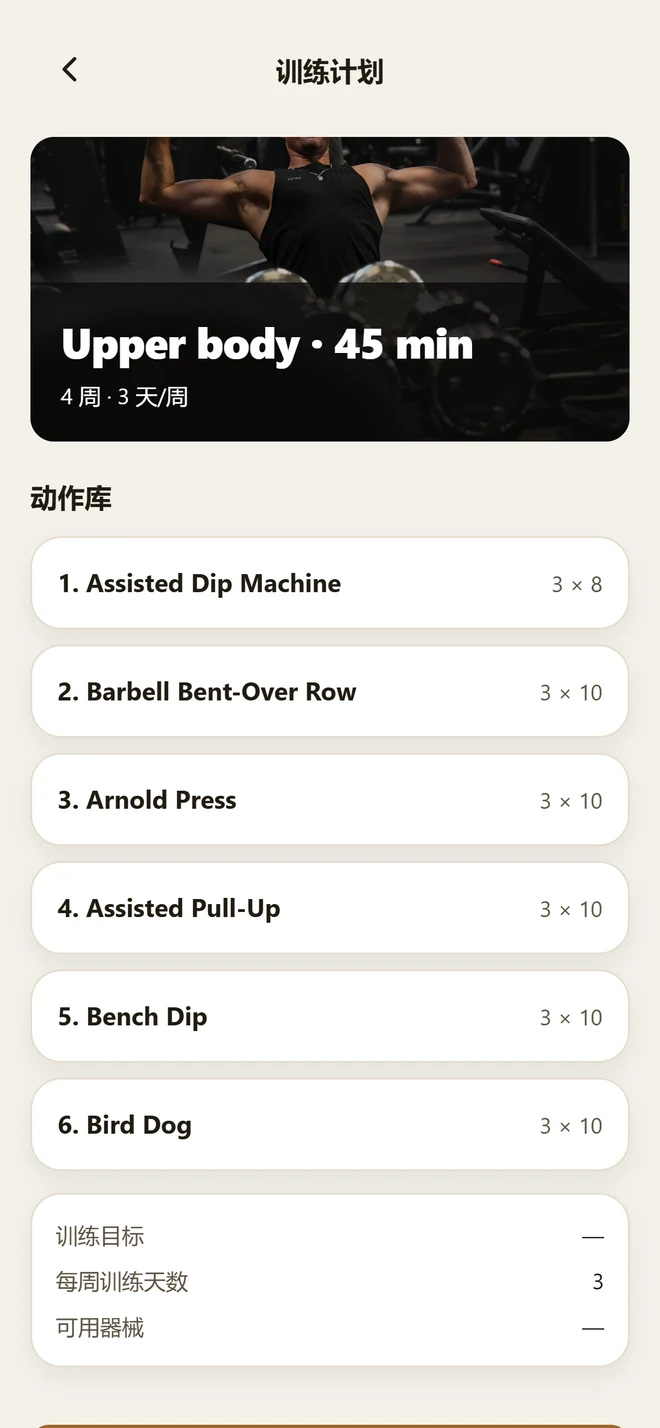
Which week of the programme they are in, and what is still outstanding.
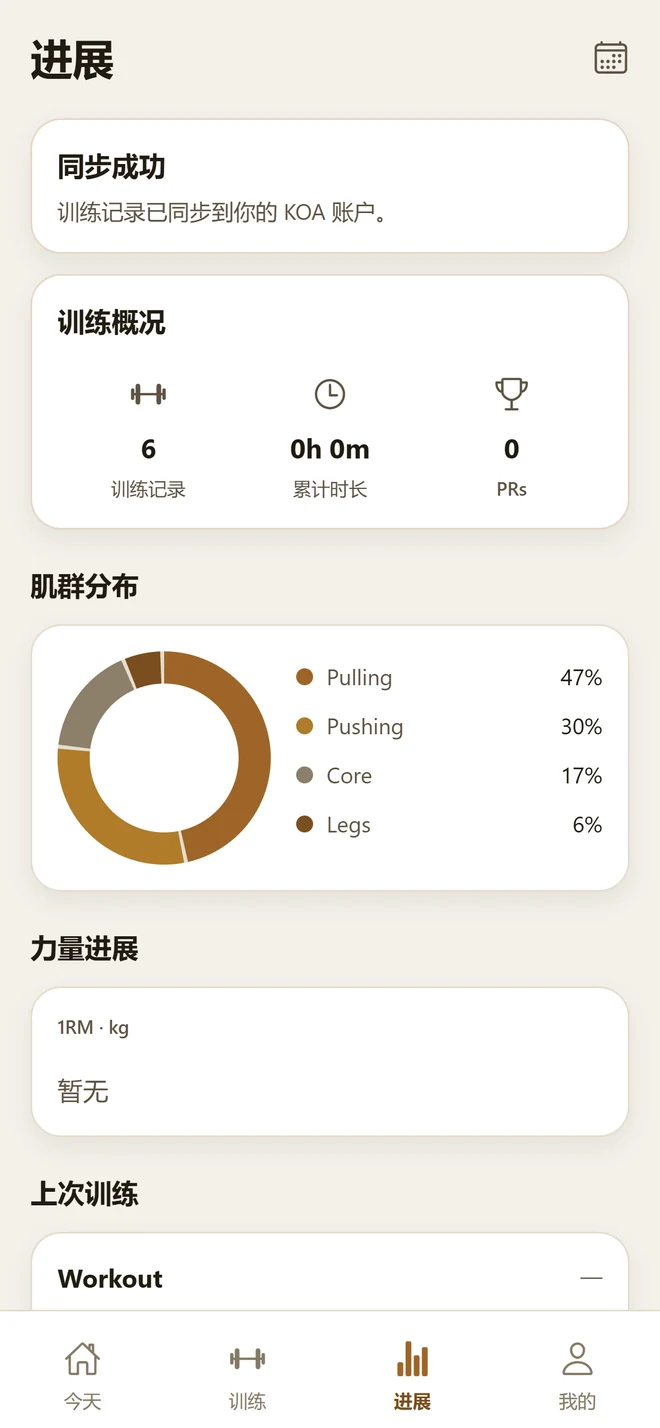
Sets, weight and reps for each session, kept in date order.
What coaches and front desk wrote down. A change of staff does not lose the file.
04 / SERVICES AND GOALS
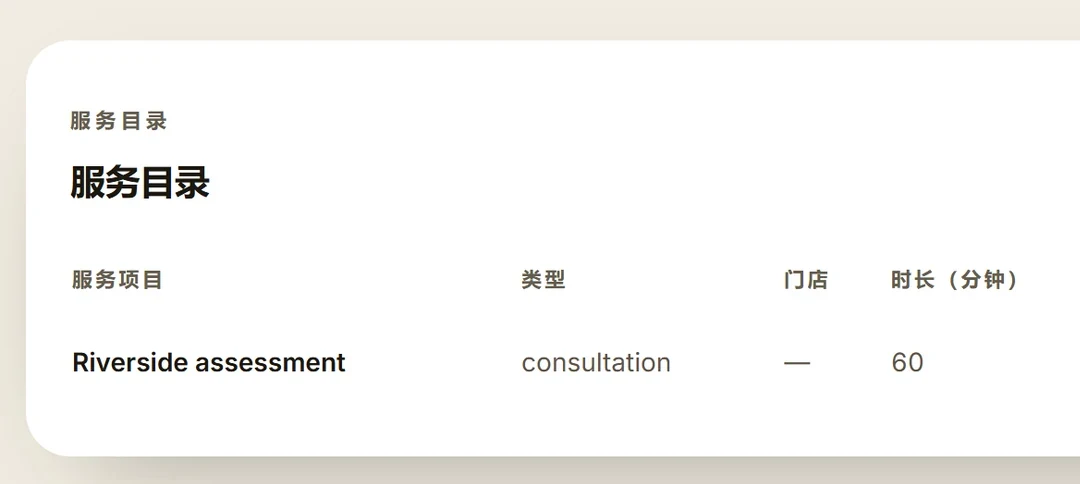
The gym keeps its own service catalogue: name, type, duration. Staff relate a member's stated goal to a service that already exists; choosing it stays with the member.
For gymsKOA product interface · demo data
05 / LOCATIONS AND ROLES
Each site manages its members and training inside its own workspace, and sees its own data.
Different roles see different scope. Fields inside a member record are shown according to the role viewing them.
Member, assigned coach and home location are maintained in one place. A change of staff does not lose the file.
06 / ON THE RECORD
KOA records what happens inside the app: a session opened, a set saved. A member with no KOA workout record has not necessarily stopped coming to the gym, and is not necessarily about to leave it.
A follow-up task rests on what was recorded. Whether to call, and what to say, is still a person's judgement.
07 / THE MEMBER APP
The member app is shown separately: the session is there to open, each set is logged as they train, and the history is theirs to look back on. It is the same record staff read in the workspace.
Member experienceKOA product interface · demo data
08 / PILOT
Staff get due follow-up tasks, member background, the service catalogue and role-scoped visibility. Members get a programme, set-by-set logging and their training history. It is still in pilot, so the exact scope is agreed with you before you start.
No. A follow-up task appears in the workspace when a rule is met, telling staff there is a member worth talking to. Whether to call — and what to say — is a person's decision. KOA does not predict churn.
No. KOA only records what happens in the app. A member may be training elsewhere, attending classes, or simply not using the app for a while. A gap means a gap in the record, nothing more.
Yes. A pilot usually starts at a single site: get the staff follow-up and the member experience working, then decide whether to extend it.
No, and we do not offer that today. Payment, access control and equipment QR codes are planned, and are not presented as available in the pilot.
09 / CONTACT
Tell us which part you want to straighten out first: staff follow-up, the member's training, or how sites work together. We will tell you what KOA can do for your situation, and what it cannot.