
Rule and reason
Which rule raised the task, and the reason recorded against it. A specific reason is what makes the first sentence possible.
KOA / COACH WORKSPACE
A useful conversation starts with knowing what the person in front of you has been training. Tasks and context on one screen, before you decide how to open it.
Book a gym demo Open the interactive workspace demo
01 / TODAY'S LIST
Due tasks sit in a single table by member. Each row carries the fields you need to judge priority, without opening the detail first.
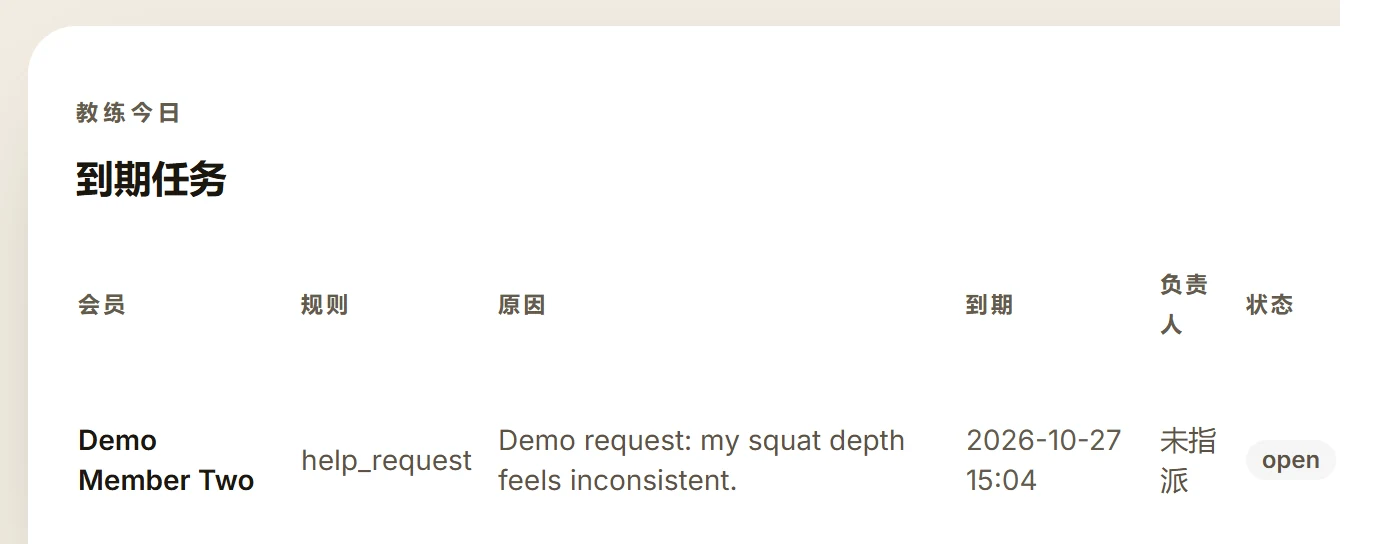
Which rule raised the task, and the reason recorded against it. A specific reason is what makes the first sentence possible.
The due date orders the list; the owner decides who calls. Both sit on the same row, so nobody has to ask.
Status shows how far the task has got, and the rest of the team sees the same state when they open it.
02 / ONE FOLLOW-UP
Open tasks are ordered by due time. Start with the one that most needs an answer.
Goals, training history, programme progress and notes. Fields inside the record follow the viewing role.
In whatever way your team already works — a call, WeChat, or a word on the floor. KOA does not send messages for you.
The contact attempt and the result are logged separately, and the task status follows. It is still there next time.
03 / THE BOUNDARY
KOA does not send messages on its own, does not recommend services automatically, and does not calculate who is about to leave. It puts what has been recorded in front of a person, so the conversation has a concrete starting point.
A member with no workout record has not necessarily stopped coming in. A gap means a gap in the record.